Closed beta

Be one of the first to make music with Mora Studio

Write lyrics and melody together on your phone and hear them sung. Spots in the beta are limited: sign in, tell us what you'd make, and we'll get back to you.

Join the beta
Mora Studio Tour

Feature tour

Mora Studio, screen by screen

Write lyrics and melody together on your phone, and hear them sung. Every picture below is the app itself, with its demo song.

Build v0.78Android, landscapeLyrics upright

Arrange

Tracks

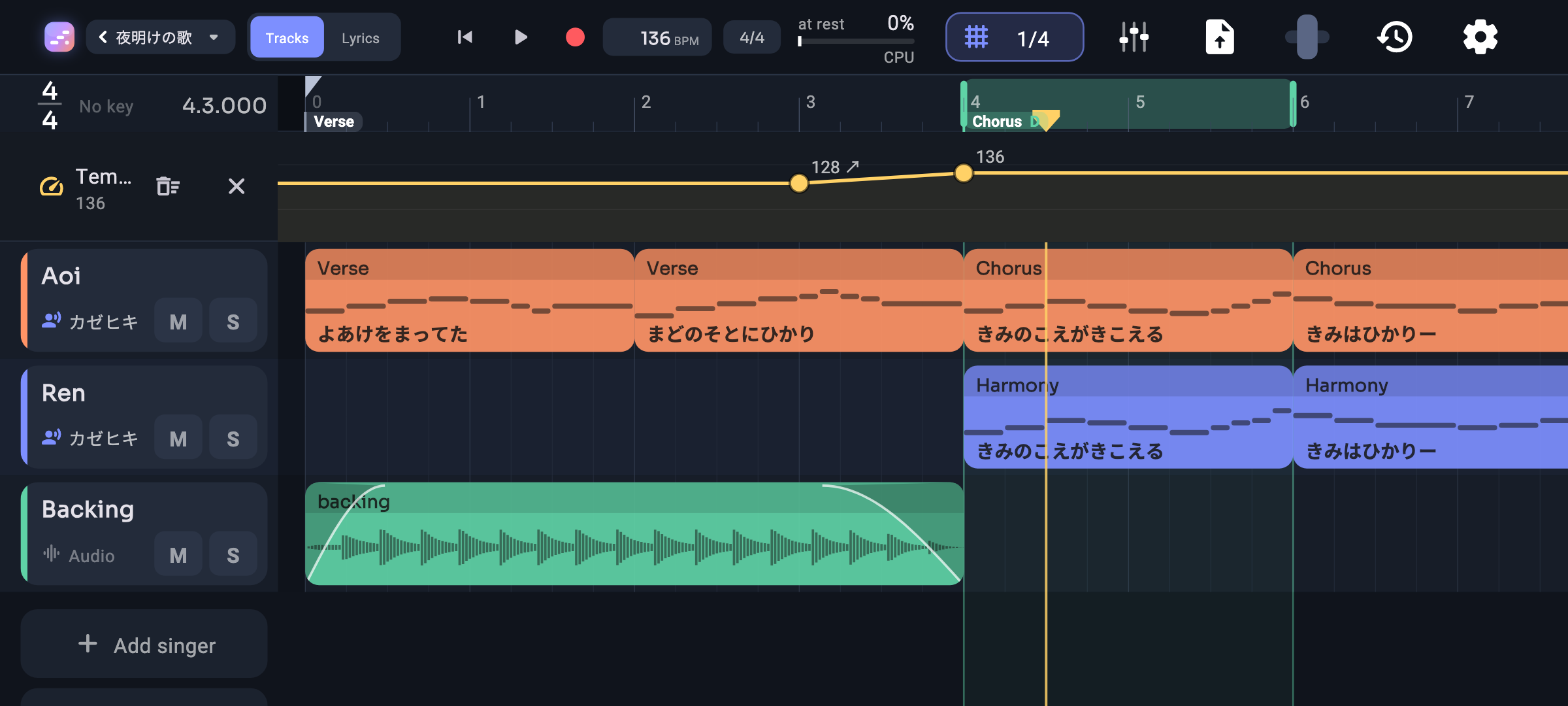
Your whole song at a glance: a row for each singer and each audio track, laid out bar by bar.

  • Tap an empty row to add a part, drag to move it, pull either end to resize
  • Trim a part from either side without losing what's inside
  • Hold the ruler to loop a bar, drag across to loop more
  • Room before bar 1 for a pickup or a count-in
  • Snap from whole bars down to 1/32 and triplets, or let it follow your zoom
  • Pinch to zoom each way, flick to scroll, and pull past the edges with a gentle bounce
A song playing in Tracks: two singers and the band, every part showing its melody and words, the view following along.

Arrange

Markers

Change the time signature or key mid-song, or name your sections, right on the ruler.

  • One marker can change the time signature, the key, or just name a section
  • The current signature and key always show at the left edge
  • Drag a marker to move it
Double-tap the ruler and a marker drops where the playhead is.

Arrange

Automation

Shape tempo, volume, pan and any effect setting over the course of the song.

  • Pick what to automate from one menu
  • Tap to add a point, drag to move it, and let points glide into the next
  • Clear or hide a lane with one tap
Tempo, volume and an effect setting, each drawn as its own lane.

Write

Piano roll

Write the melody with your fingers, with each note's syllable printed right on it.

  • Tap to place a note, drag to move it, pull its end to change its length
  • Every note sings as you tap or drag it, so you hear the melody as you write
  • Hold for a selection box; copy, cut and paste whole phrases
  • Mark は, へ or を to be sung as spoken (わ, え, お)
  • Play the keyboard to try out a pitch
Tap a note and it sings, drag it to a new pitch, then play the phrase back.

Sing

Singing

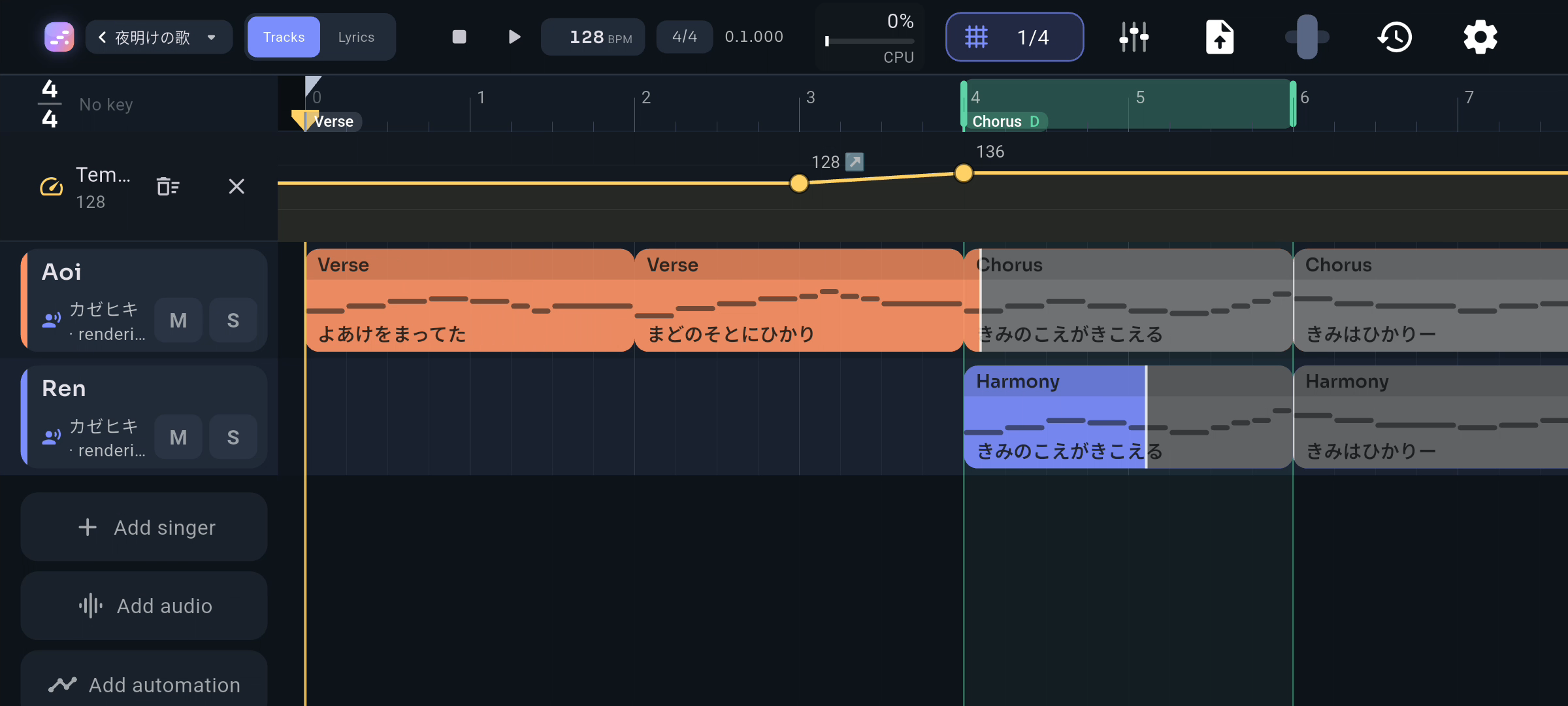
Pick a voice and your melody sings, right on your phone.

  • Add your own voicebanks and choose one per singer
  • Change a note and only that phrase is redone, so you're never kept waiting
  • Long vowels (ー) and particles are sung naturally
  • Hear a guide tone wherever the voice isn't ready yet
As the voice gets ready, each part fills back in with color from left to right.

Write

Lyrics

Write the words like in a notes app, and see at a glance where they fit the melody.

  • Readings for kanji filled in for you, and easy to change
  • Particles are spotted as you write: 私は sings わ, 空へ sings え
  • Type in romaji or kana with suggestions that fit the phrase
  • Every line shows whether it fits its phrase
  • Write the words first and place them later, or fill in the melody's phrases
Each line sits on the phrase it's sung to, with readings above the kanji and a syllable count.

Mix

Mixer

A full mixer in your pocket: a channel for every singer and track, buses, groups and the master.

  • Hold a channel's name to move it; drag effects between slots and channels
  • As many effects per channel as you like
  • Solo tracks or whole buses
  • Group channels to move their volume, pan, mute and solo together
  • Save snapshots of the whole mix, and undo any change
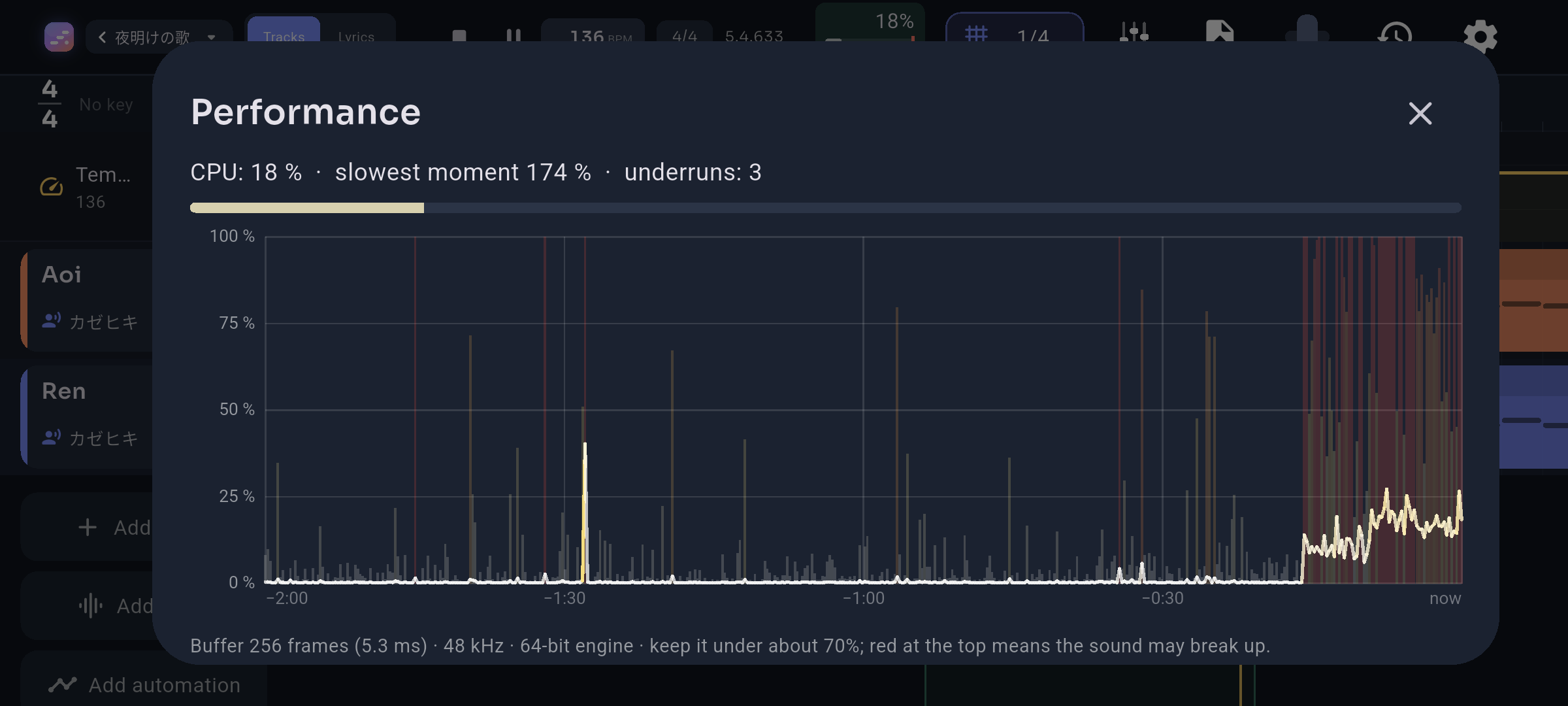
  • Studio-grade sound that stays light on your battery
The mixer as the song plays: effects, sends, faders and live meters for every channel.

Mix

Effects

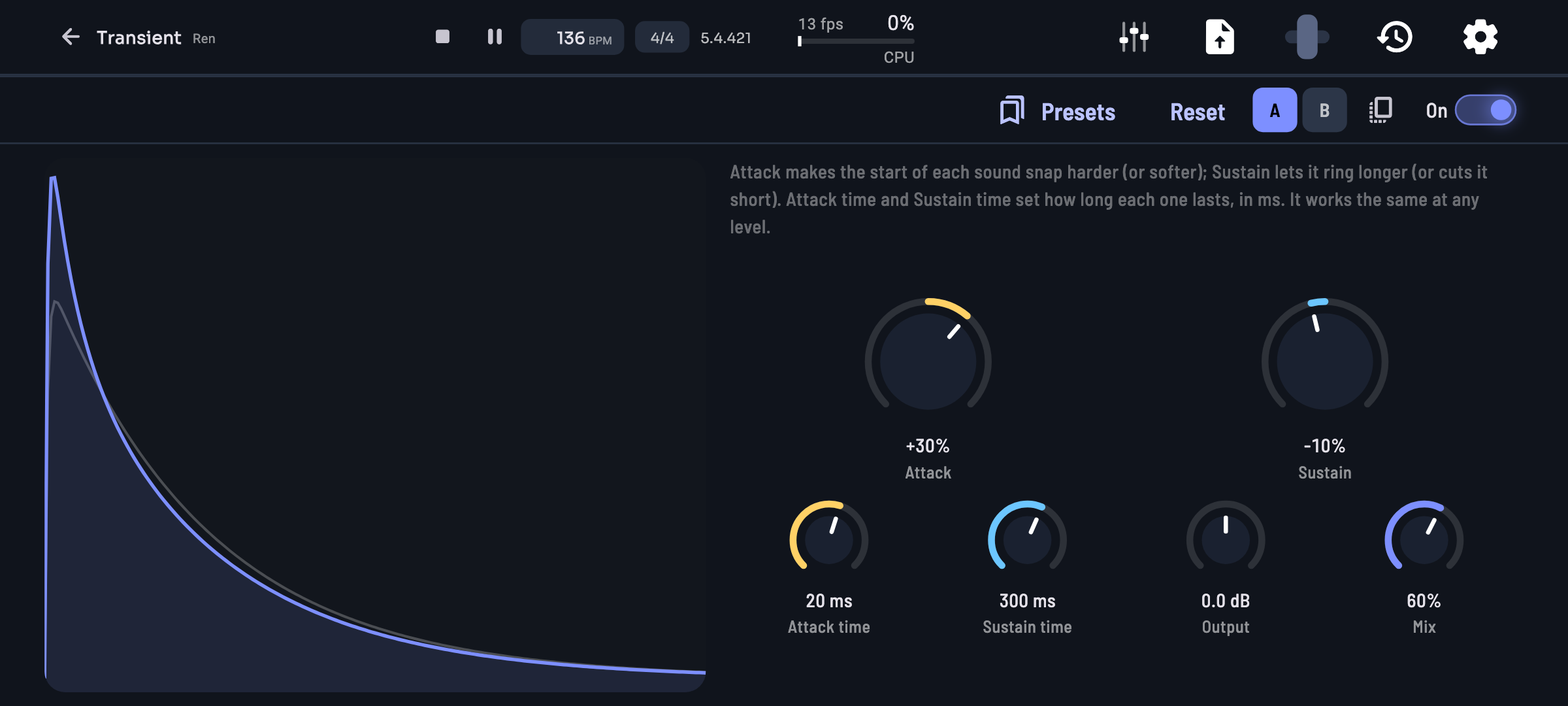
Eight built-in effects, each with presets, A/B compare and undo.

  • EQ bands that react to the music
  • Factory presets for every effect, and save your own
  • Flip between two settings to compare, saved with the song
Equalizer: drag a band and hear it change. Up to 24 bands, each able to work on one side or the middle of the mix.

Share

Export

Share the finished song, or take it into another app.

  • Pick the quality you want
  • Export the whole song or just the loop
  • Players and stores show your song's title and artist
  • Files keep your song's name, in Japanese too
Export as audio in all the common formats, as a Mora song, as MIDI, or for other vocal synth editors.

Everywhere

History and settings

Every change is saved as you go, and you can always step back.

  • Your songs are kept safe, even if you reinstall the app
  • Keep mixer changes out of your undo list if you like
  • Pause returns to where you started, or resumes, as you choose
Your songs, each with a little picture of it. They save themselves on every change.